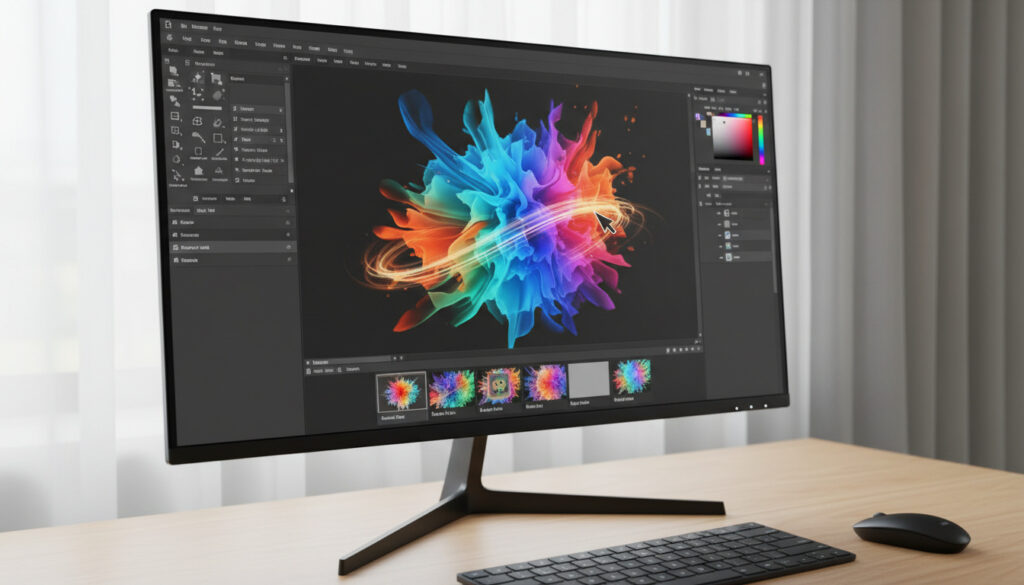
Best Free Alternatives to Photoshop – Bästa Gratisalternativen
The Landscape of Free Image Editing
Adobe Photoshop sets the benchmark for raster graphics manipulation, yet its subscription cost—$22.99 monthly for individuals—creates a barrier to entry for hobbyists, students, and freelancers. The past decade has produced robust free alternatives that handle complex layer management, RAW processing, and advanced compositing without draining budgets.
Five Tools Worth Your Time
GIMP offers open-source power for Linux, macOS, and Windows. Photopea runs entirely in browsers, mimicking Photoshop’s interface. Krita specializes in digital painting with brush engines rivaling paid software. Paint.NET provides lightweight Windows editing. Pixlr delivers AI-powered background removal and template libraries for quick browser-based edits. Canva’s free tier simplifies graphic design for non-artists.
Where Free Tools Excel
Browser-based editors eliminate installation friction but require persistent connectivity. Desktop applications like GIMP and Krita handle large RAW files more efficiently, while browser tools excel at quick mockups and PSD compatibility. The distinction between pixel-perfect editing and template-based design determines which tool fits specific workflows. Our comprehensive design software guides explore platform-specific workflows in greater depth.
Comparative Overview
| Software | Platform | Best For | Layers | RAW Support |
|---|---|---|---|---|
| GIMP | Win/Mac/Linux | Advanced editing | Yes | Yes |
| Photopea | Browser | PSD compatibility | Yes | Limited |
| Krita | Win/Mac/Linux | Digital painting | Yes | Yes |
| Paint.NET | Windows | Quick edits | Yes | Plugin required |
| Canva | Browser | Social graphics | Partial | No |
Inside the Toolkit
GIMP (GNU Image Manipulation Program) provides professional-grade photo retouching, image composition, and authoring capabilities. Its customizable interface and plugin architecture support complex automation, though the learning curve matches Photoshop’s complexity. GIMP processes 16-bit and 32-bit images and supports CMYK color modes through plugins.
Photopea delivers remarkable fidelity to Photoshop’s workflow directly within browsers. It opens and saves PSD files, supports smart objects, and handles layer styles without conversion. Photopea serves designers needing occasional access to legacy files or collaborative environments where software installation is restricted.
Krita targets illustrators and concept artists with over 100 brush engines, stabilizers, and vector capabilities. Unlike generalist editors, Krita focuses on painting workflows while maintaining robust layer systems and HDR support. Animation tools and storyboarding features extend its utility beyond static images.
Paint.NET originated as a Windows Paint replacement but evolved into a layered editor with adjustment layers and unlimited undo history. Paint.NET runs efficiently on older hardware, making it ideal for quick crops, red-eye correction, and basic compositing without resource overhead.
Canva democratizes design through drag-and-drop templates rather than pixel-level control. Its free tier includes thousands of layouts for social media, presentations, and print materials. While unsuitable for photo retouching, Canva enables rapid production of marketing assets.
Two Decades of Development
2004 marked GIMP’s 2.0 release, establishing the open-source editor as a viable professional tool. Paint.NET launched the same year, offering Windows users lightweight layer support. Krita emerged from the KDE project in 2005, pivoting toward digital painting by 2013. Photopea appeared in 2013, introducing browser-based PSD editing. Canva launched its platform in 2013, reaching 150 million users by 2024.
Understanding the Trade-offs
“Free” software often carries hidden constraints. Photopea displays advertisements for non-premium users. Canva restricts premium assets and background removal to paid tiers. GIMP and Krita remain genuinely free through open-source licensing but lack official customer support. Performance varies significantly; browser tools struggle with 50+ megapixel RAW files where desktop applications excel.
Performance Under Pressure
Resource allocation distinguishes these tools. GIMP requires approximately 300MB RAM for basic operations but scales to utilize multiple cores for filters. Photopea’s browser dependency means memory usage fluctuates with tab management. Krita optimizes for stylus input with minimal latency, while Paint.NET maintains the smallest footprint, launching in under two seconds on SSD storage. File format support varies: GIMP handles XCF, PSD, and WebP natively; Photopea preserves Photoshop layer effects during conversion; Krita specializes in OpenEXR and RAW through integration with Darktable.
Voices from the Field
“Switching to Krita eliminated my Creative Cloud subscription for illustration work. The brush responsiveness matches Clip Studio Paint.”
— Maria Chen, Concept Artist
“Open-source development prioritizes stability over flashy features. Version 3.0 introduces GTK3 interface improvements that modernize the experience without alienating longtime users.”
— James Mitchell, GIMP Contributor
Choosing Your Platform
Professionals requiring precise color management and plugin ecosystems should prioritize GIMP. Designers handling existing PSD files benefit from Photopea’s compatibility. Digital artists find Krita’s brush technology superior to Photoshop’s default offerings. Casual Windows users needing quick edits should adopt Paint.NET. Marketing teams producing template-based content maximize efficiency through Canva’s free tier. Review our photo editing tutorials for advanced layer techniques applicable across these platforms.
Frequently Asked Questions
Can free alternatives open Photoshop PSD files?
Photopea maintains the most accurate PSD compatibility, preserving layer styles and smart objects. GIMP opens PSDs but flattens some adjustment layers.
Do these tools support CMYK color modes?
GIMP requires plugins for CMYK workflow. Krita supports CMYK natively for print preparation. Browser-based options typically restrict output to RGB.
Are free editors safe for commercial use?
Open-source options like GIMP and Krita permit unrestricted commercial usage under GPL licenses. Canva allows commercial use of free-tier designs provided you avoid premium elements. Photopea’s free version permits commercial work with attribution considerations for certain assets.
Which alternative works best on low-end hardware?
Paint.NET operates efficiently on systems with 4GB RAM or less. Photopea functions on any device supporting modern web browsers but requires stable internet connections.
Can I achieve professional print quality?
GIMP and Krita support 300+ DPI output and color-managed workflows necessary for professional printing. Browser tools typically optimize for screen resolution.
関連記事をさらに表示
 井川瑠音さん2023年11月18日死去、31歳 水ダウ「名探偵津田」で活躍した女優の経歴と死因を解説
 後藤楽々のプロフィールと経歴を徹底解説!元SKE48、青山学院大学卒、ゴルフベストスコア79、英検1級
 King & Prince I Know歌詞・意味・Spotify配信・Apple Music・メンバー解説
 【完全版】I think so 意味と使い方、違い、返事、言い換え、スラングまでを例文付きで徹底解説!
 ソダシのすべて:白毛のG1馬の軌跡と現在
 寝れない原因と4-7-8呼吸法の効果を医師解説
 【最新】メイフォー(21歳ラッパー)の炎上と引退の真相!SNSフォロワー100万人のプロフィールを徹底解説
 【2026年最新】コムドットあむぎりのプロフィール・年齢・身長・引退理由・人気の秘密と批判点を徹底解説